Retest on request
Request a retest on any finding. The pentester who reported it replays the original attack, keeps your team in the loop on the finding itself, and records the outcome: resolved, or still reproducible.
Request pentest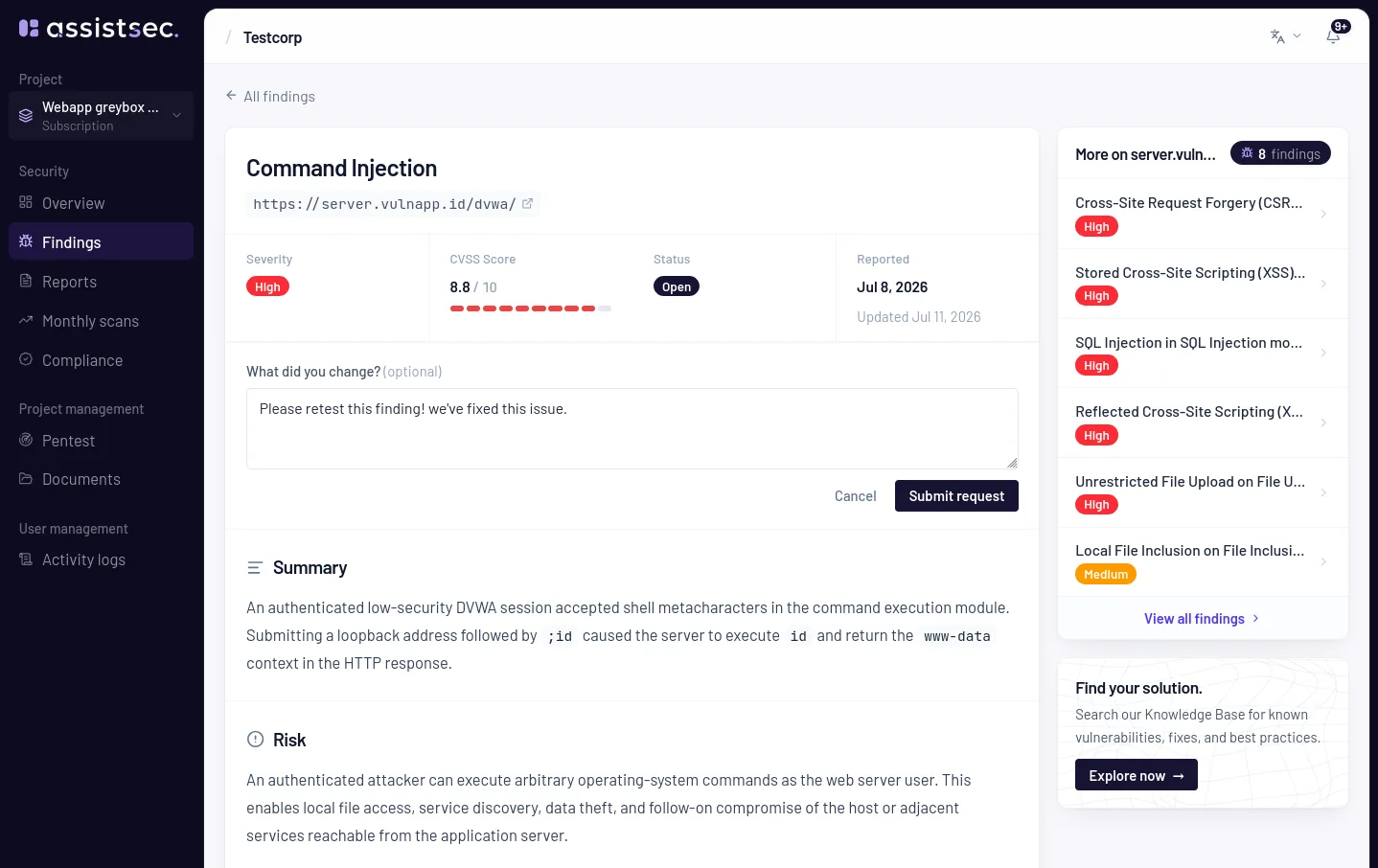
Retesting
As soon as your team has fixed a finding, you request a retest with a single click.
Requesting a retest in the ARGUS portal. The finding Command Injection has the status Open. A click on Request retest opens a field for a note on what was changed. Once the request is sent, the finding says that a retest was requested and that the pentest team has been notified. After that the discussion on the finding reports that the retest is completed and the fix is verified, and the finding's status is Fixed. Contextual live chat
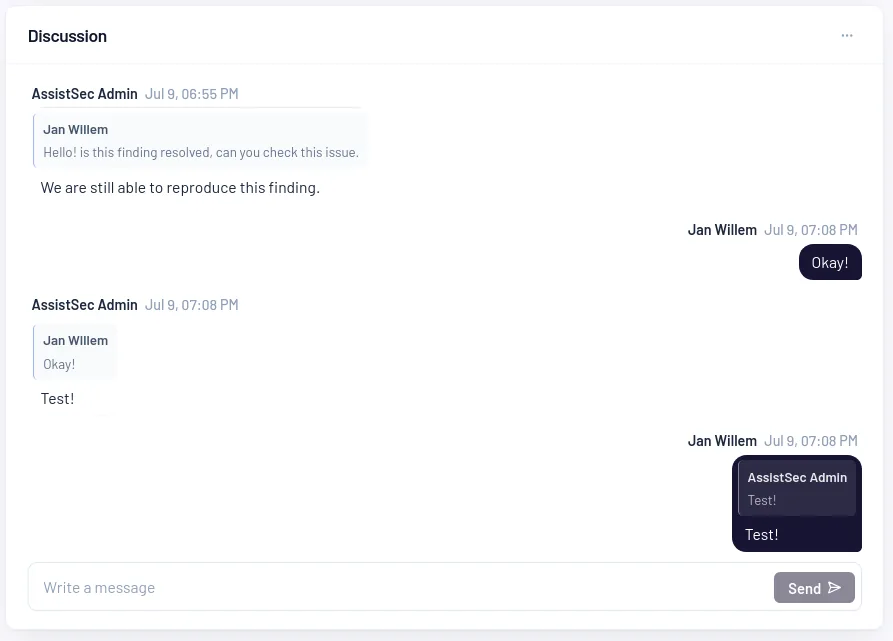
In the ARGUS portal you can discuss a finding directly with a senior pentester.
Frequently asked questions
Who performs the retest?
A senior pentester, always. Where possible the same one who reported the finding, and otherwise a colleague at the same level. Because the original reproduction is stored with the finding, the retest repeats exactly those steps either way.
What if the fix does not hold?
The finding stays open, marked still reproducible, with a note on what still works. Fix again and request another retest; every attempt stays on the record.
Is a retest a new engagement?
No. You request it from the finding, without a scoping call or a new statement of work. Your agreement with AssistSec sets out how retests are included.

Interested in a pentest?
Discover how AssistSec's AI agents give your organisation faster and more thorough insight into vulnerabilities.
Contact us